What Is Portal Packaging and How Does It Work?
Portal packaging is a practical way to manage packaging projects through a centralized digital portal. It connects brands, designers, manufacturers, suppliers, and logistics teams in one controlled workspace. Instead of exchanging scattered emails, users can review specifications, upload artwork, request quotations, approve samples, and monitor production progress.
The process usually begins with clear product information. Teams enter dimensions, materials, quantities, printing requirements, delivery dates, and quality expectations. The portal then organizes these details into a shared project record. Designers may upload dielines and proof files, while packaging specialists check measurements, labeling, color accuracy, and material suitability. Approved files remain visible to authorized users, reducing confusion between outdated and current versions.
It keeps work moving.
A reliable portal packaging system may also support supplier comparisons, purchase orders, inventory updates, and shipment tracking. These features can improve traceability and reduce avoidable delays. However, the portal does not replace professional judgment. Incorrect measurements, unclear instructions, or poorly reviewed artwork can still produce costly packaging errors.
The term itself is not perfectly standardized. Different companies may use it for an online packaging marketplace, a procurement platform, or a broader packaging management system. That distinction matters. This article examines how portal packaging works in real workflows, what information it requires, and where its benefits may be limited. Practical examples, review checkpoints, and user responsibilities will help clarify whether this approach suits a particular packaging operation.

Definition and Purpose of Portal Packaging
What Is Portal Packaging and How Does It Work?
Definition and Purpose of Portal Packaging
Portal packaging is a coordinated packaging system managed through a digital portal. It connects product details, material choices, artwork, approvals, purchasing, and delivery records in one controlled workspace. Instead of exchanging scattered emails, teams review the same packaging file, specification, and revision history. The portal may also show supplier quotations, minimum order quantities, production status, and inspection results.
Its purpose is practical. It reduces specification errors, shortens approval cycles, and improves traceability across packaging operations. A typical workflow begins when a user uploads dimensions, product weight, protection requirements, and branding instructions. The system then routes the request for technical review. Approved data can guide material selection, structural design, sampling, and production scheduling. Human judgment still matters. Software cannot reliably understand every fragile product or unusual shipping condition.
The need is substantial. The United Nations Environment Programme reports that packaging uses about 36% of global plastic production. This places pressure on companies to compare recycled content, material weight, recyclability, and end-of-life options. ISO 18601 also frames packaging sustainability around resource efficiency and life-cycle thinking. Industry reporting from Smithers indicates continued growth in packaging demand, especially from e-commerce and convenience-led distribution. That growth makes centralized control more valuable, but not automatically more sustainable.
A portal can record evidence, but poor data remains poor evidence. Teams should verify supplier declarations, test packaging under real transport conditions, and review rejected samples. Sometimes, a simpler process works better.
Main Components of a Portal Packaging System
What Is Portal Packaging and How Does It Work?
Main Components of a Portal Packaging System
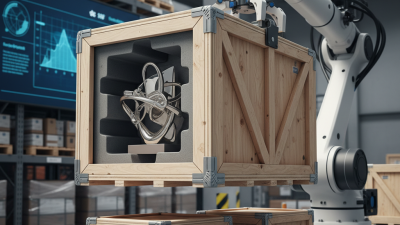
Portal packaging is a coordinated system that prepares products for storage or shipment. It combines a portal frame, conveyors, sensors, controls, and wrapping tools. A typical setup begins with a rigid portal frame. The frame supports guide rails, applicators, and moving equipment above the packaging area. Sensors detect carton height, position, and movement. This prevents misplaced wrapping or incomplete coverage.
Inside the system, conveyors position each carton beneath the portal structure. A film or paper dispenser supplies the protective material at a controlled speed. Cutters and sealing units finish the package after wrapping. Control software links these components and adjusts the sequence. Operators usually set package dimensions, wrapping tension, and conveyor speed. Clear guards and emergency switches help protect workers during operation. These details matter.
The final package should look tight, stable, and easy to handle. In practice, alignment can drift during busy production periods. Dust, uneven cartons, or worn rollers may affect performance. That is the part technicians sometimes underestimate. Regular checks should cover sensors, belts, cutting blades, and sealing surfaces. A reliable team records faults instead of hiding them. The system is efficient, but not flawless. Small trials before full production can reveal weak settings and reduce material waste.
How Products Move Through the Packaging Process
Portal packaging usually describes a packaging setup where products pass through a framed work area. The portal may carry filling, wrapping, labeling, or robotic handling equipment. Its purpose is controlled movement, not decoration. Products arrive on an infeed conveyor. Sensors check position, size, and spacing. If a carton leans, the line may pause or reject it. That small interruption matters.
After alignment, a portal unit performs the assigned packaging task. A gripper can lift a product into a tray. A sealing head can close film or carton flaps with measured pressure. Settings depend on product weight, material strength, and required protection. The package then moves through coding and inspection stations. Cameras verify seals, labels, and readable production data. Scales can detect missing items. Operators review these checks before release.
The final stage sends accepted packs to case packing or pallet preparation. Rejected packs follow a separate route for manual assessment. In working facilities, smooth flow depends on timing between every station. A fast portal cannot fix poor spacing upstream. Nor can software correct a damaged conveyor belt. Teams may adjust guides, sensor delays, or sealing temperature during a shift. A rushed adjustment can create another fault. These changes should be recorded and tested again. The process is efficient, but not effortless.
Automation, Sealing, Labeling, and Quality Control
What Is Portal Packaging and How Does It Work?
Portal packaging uses a guided frame to move products through a controlled packing area. The process starts with automatic product positioning. Sensors check size, spacing, and orientation before wrapping begins. A sealing unit then applies steady heat or pressure to close the film. Correct temperature matters. Too much heat can weaken the package, while too little may leave open edges.
Labeling follows the seal. A printer applies product details, batch information, or handling instructions to a clear surface. Scanners verify that the label matches the production record. Quality control does not depend on one inspection. Cameras examine seal width, label position, and visible damage. Weight checks can reveal missing items. Small errors matter. In practical use, glossy film can confuse sensors, so operators may need to adjust lighting or detection settings.
Tips: Keep sealing surfaces clean and test them at the start of each shift. Use sample packs to confirm seal strength and label readability. Record rejected packages instead of hiding them. These records often reveal recurring problems, such as uneven film tension or delayed sensor signals. Automation improves consistency, but it is not self-correcting. A reliable system still needs trained operators, documented checks, and periodic maintenance. Even experienced teams can miss a subtle wrinkle when production moves quickly.
What Is Portal Packaging and How Does It Work?
Portal packaging combines automated product handling, sealing, labeling, and inspection in one controlled workflow. The chart below shows the ISO/IEC 15416 barcode quality grading scale used during label verification.
During portal packaging, an automated scanner checks the printed barcode after labeling. ISO/IEC 15416 grades range from A to F, with A representing the highest quality and F indicating a failed symbol. This inspection helps prevent unreadable labels from moving to shipment.


 English
 Polski
  Čeština